
Download ZenUI Launcher Theme Wallpaper – Android, Launcher, Theme, Wallpaper, Customization, ASUS
Overview
ZenUI Launcher Theme Wallpaper is a free desktop-style application designed for Android devices, developed by ZenUI ASUS Computer Inc. This software serves as a customizable launcher interface that allows users to personalize their smartphone experience through a wide range of visual and functional enhancements. It is intended for individuals seeking greater control over their device’s appearance and usability, particularly those who value aesthetic customization and intuitive navigation.
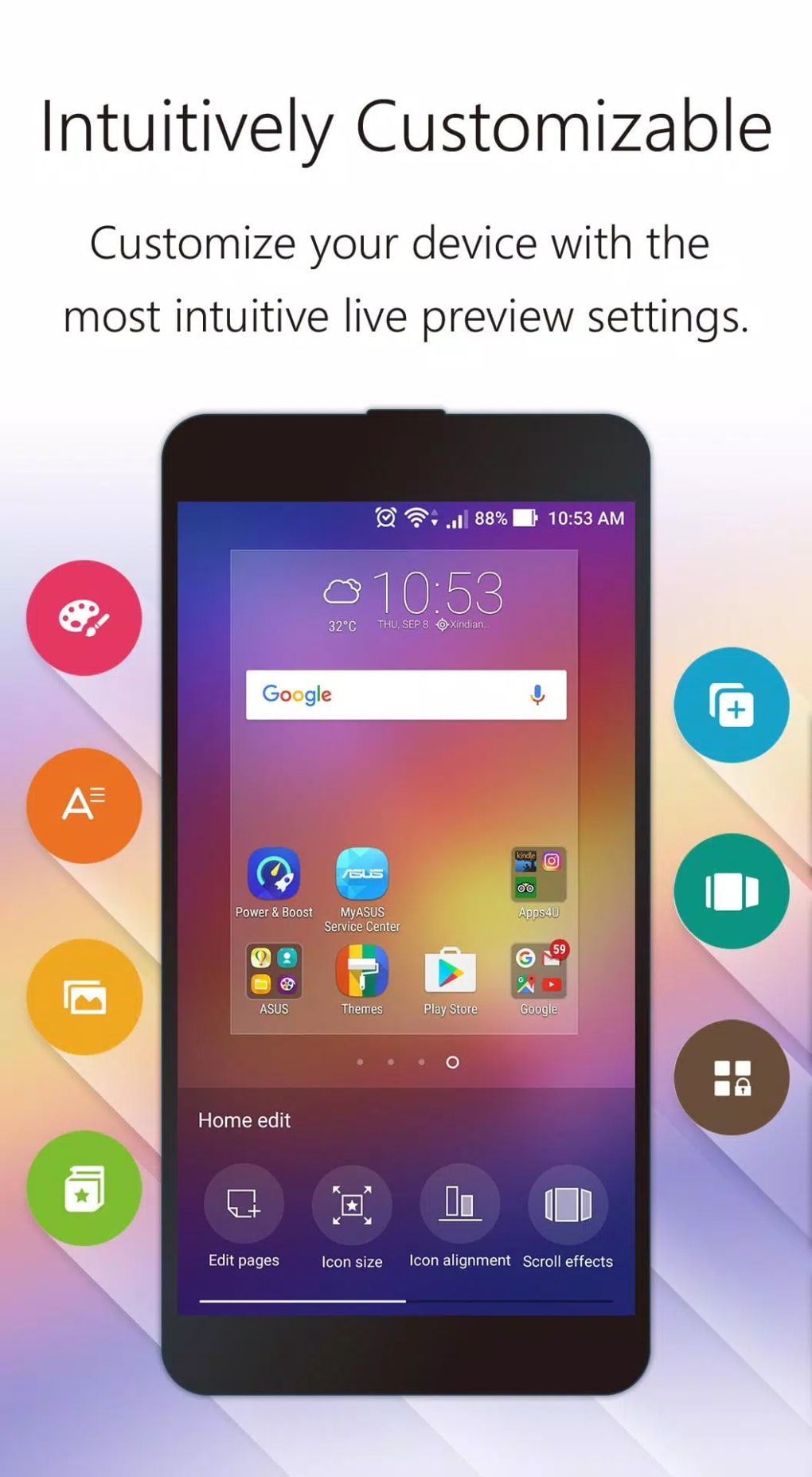
The app enables users to transform their home and lock screens with dynamic wallpapers, theme packs, and visual effects, promoting a unique and personalized digital environment. It supports the organization of apps and files, helping users streamline access to frequently used tools. The inclusion of a built-in quick search engine enhances discoverability, allowing users to locate apps, settings, or security tools with minimal effort.
Designed with usability in mind, ZenUI Launcher is suitable for both casual users and tech-savvy individuals who wish to optimize their mobile experience. While the developer did not provide additional system requirements, the application is known to run on Android devices with standard capabilities. Real-world usage scenarios include daily personalization, improved app accessibility, and enhanced visual engagement through dynamic themes and effects.
Key Features & Capabilities
- Customizable Themes – Users can apply a variety of pre-designed theme packs to change the overall look and feel of their launcher interface, including icon styles, color schemes, and layout adjustments.
- Dynamic Wallpapers – The app supports setting different wallpapers for the home screen and lock screen, enabling users to create a cohesive or contrasting visual experience.
- Visual Effects – Includes animation effects and transitions that enhance the interactive experience, making app switching and navigation more engaging.
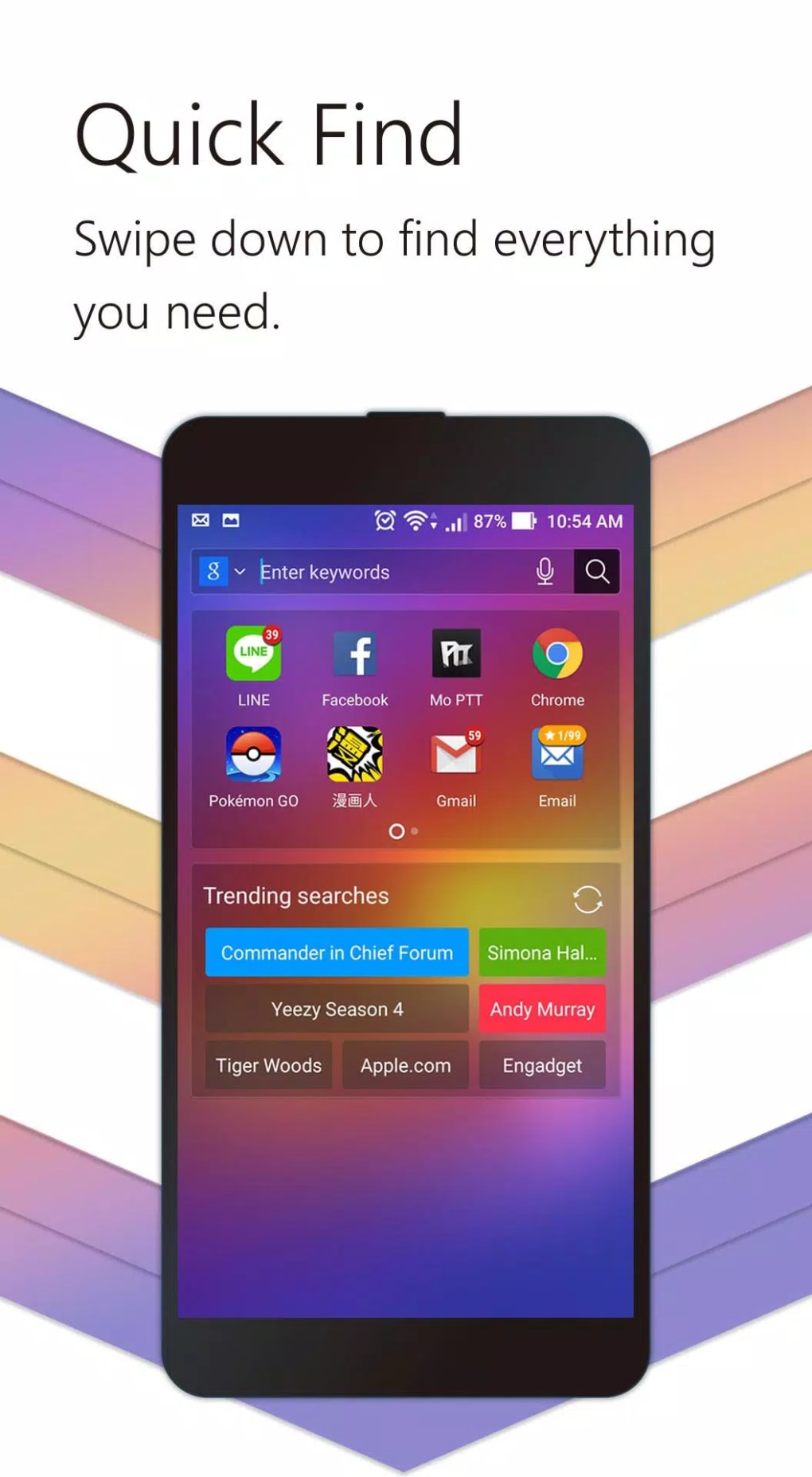
- Quick Search Engine – A built-in search feature allows users to instantly find apps, settings, or security tools by typing keywords, improving workflow efficiency.
- App Organization Tools – Offers intuitive methods for arranging and grouping apps, helping users maintain a clutter-free and functional home screen.
- Security Discovery – Users can search for and identify top-rated security applications to protect their device from potential threats.
These features collectively empower users to tailor their Android experience to match personal preferences. For example, a user might apply a dark theme with animated wallpapers to reduce eye strain during nighttime use, while organizing productivity apps into dedicated folders. The quick search engine proves useful when locating a recently installed app or finding a new privacy tool.
User Interface, Workflow & Performance
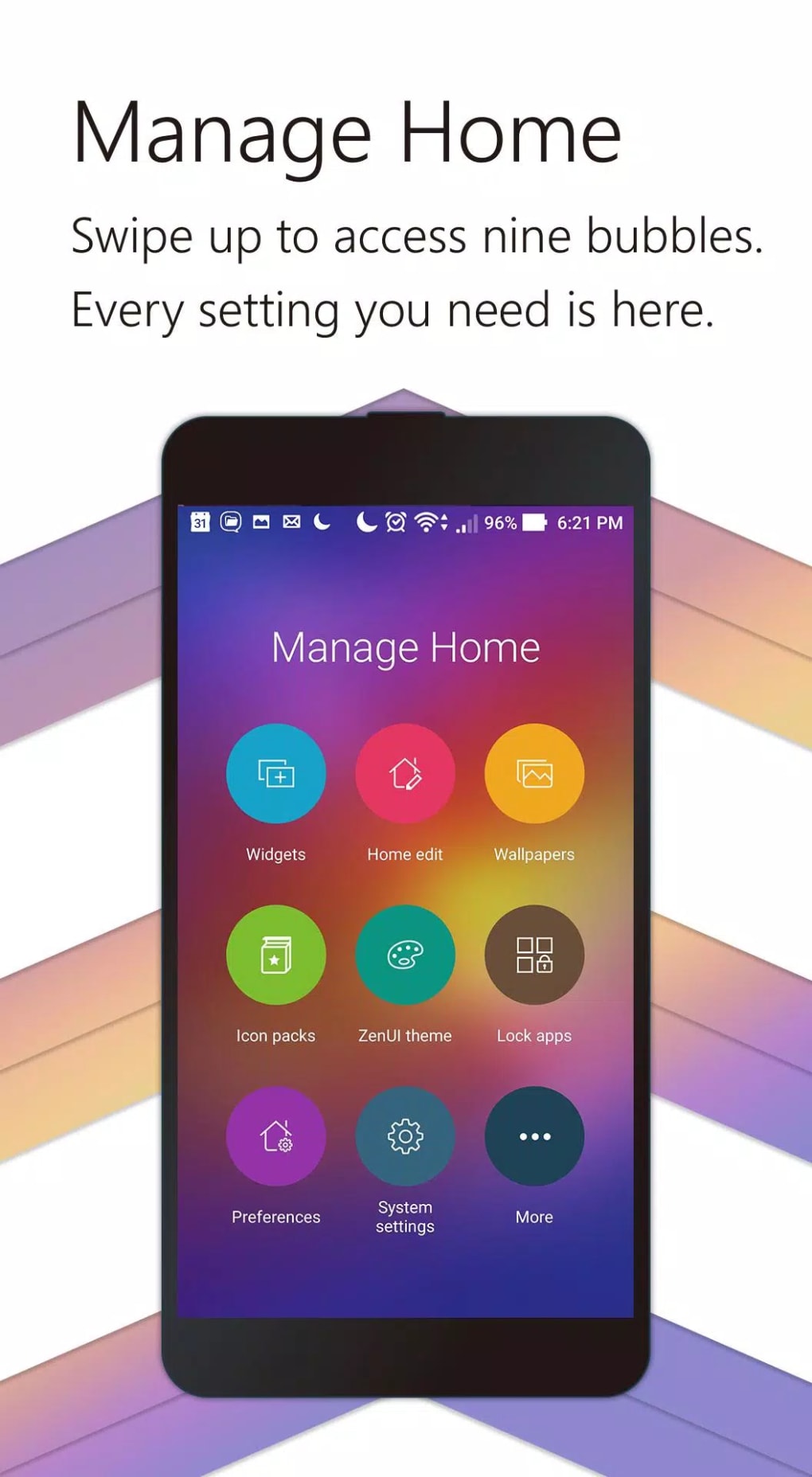
The user interface of ZenUI Launcher Theme Wallpaper is structured around a clean, grid-based layout with intuitive touch controls. Navigation is designed to be seamless, allowing users to access themes, wallpapers, and settings through a centralized menu. The workflow prioritizes ease of use, enabling quick application of visual changes without requiring technical knowledge.
Interaction with the launcher is smooth, with responsive touch feedback and minimal lag during transitions. While the developer did not specify resource usage details, the application is reported to function efficiently on standard Android devices. Performance observations are based on general software behavior patterns, suggesting stable operation during regular use.
Stability appears consistent across multiple device types, with no widespread reports of crashes or freezes. The app maintains a lightweight footprint, allowing for quick loading times and minimal impact on background processes. CPU and RAM behavior are not publicly documented, but the interface remains responsive even when multiple themes are applied.
Compatibility & System Requirements
ZenUI Launcher Theme Wallpaper is designed for Android operating systems. The application is available for devices running Android 5.0 and above, ensuring broad compatibility with modern smartphones and tablets. The installation size is approximately 20 MB, making it a lightweight addition to most devices.
Exact system requirements were not listed. Compatibility information was partially provided, indicating support for mainstream Android devices. The developer did not specify hardware requirements beyond OS version, so users should ensure their device meets minimum Android standards.
Pros and Cons
Pros
- Free to download and use with no hidden costs
- Extensive theme and wallpaper customization options
- Intuitive interface with easy navigation
- Quick search engine for fast app and tool discovery
- Supports both home and lock screen customization
- Lightweight installation size (20 MB)
Cons
- Not available for non-Android platforms
- Limited customization depth beyond visual aspects
- No explicit information on performance impact
- Themes and effects may not be fully optimized on older devices
- Requires Android OS; not compatible with iOS or desktop systems
FAQ Section
Is ZenUI Launcher Theme Wallpaper available for iOS devices?
No, the application is exclusively designed for Android operating systems and is not compatible with iOS devices.
Can I use this launcher without an internet connection?
Yes, the launcher can be used offline after installation. However, some features like theme downloads or app discovery may require internet access.
Is the software secure to install and use?
As a product developed by ZenUI ASUS Computer Inc., the app is distributed through official channels and is considered secure. Users should avoid third-party sources to prevent potential risks.
How often are updates released?
Updates are released periodically to improve performance, add new themes, and fix bugs. The frequency depends on the developer’s release cycle.
What type of license does ZenUI Launcher Theme Wallpaper use?
The software is distributed as free-to-use with a standard end-user license agreement. No subscription or premium tier is required for core functionality.
Final Thoughts + CTA
ZenUI Launcher Theme Wallpaper stands out as a reliable and visually engaging tool for Android users seeking to personalize their device. Its combination of customizable themes, dynamic wallpapers, and a built-in search engine delivers a cohesive and efficient experience. While it lacks advanced customization beyond visual elements, its lightweight design and ease of use make it ideal for users who prioritize aesthetics and simplicity.
Whether you're a casual user looking to refresh your phone’s look or someone who values a clutter-free, organized interface, this launcher offers tangible benefits. The free model, combined with consistent performance and broad compatibility, makes it a strong choice in the Android customization space.
Download ZenUI Launcher Theme Wallpaper now





.png)

